
This guide details three ways to reset the password for a WordPress user account.
The first should be used when you know the username or email address of the user account you are trying to reset. This is the easiest and preferred method.
The second method involves changing the account's password within the MySQL database associated with the site and the third method is using WP-CLI via SSH to reset a users password.
Using the 'Lost your password?' link
In order to use this method you need to know the username or an email account associated with the account for which you wish to reset the password.
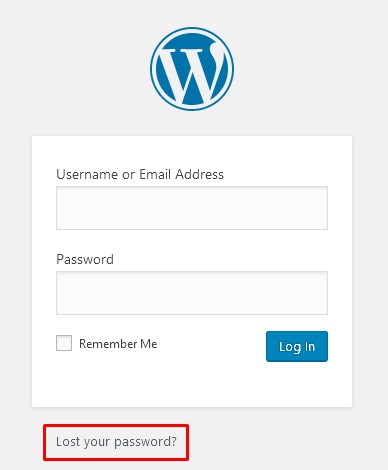
Visit the sites wp-admin page e.g. www.mysite.co.uk/wp-admin
Click the Lost your password? link
Enter the username or email address of the user and click the Get New Password button.
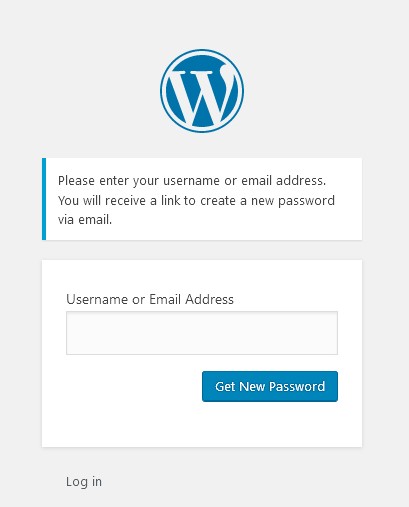
If you enter a username - the email will be sent to the email address associated with that username - so you should have access to that mailbox.
The email you receive will contain a link to reset your password - click the link
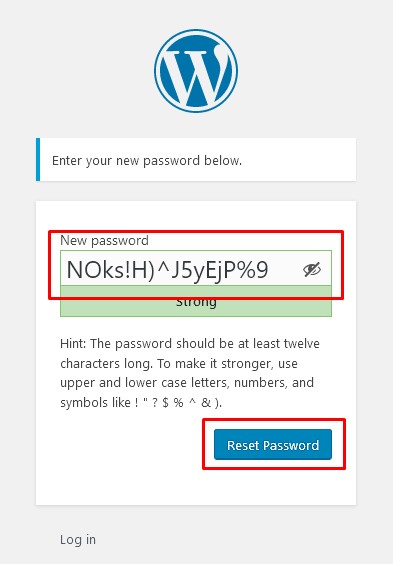
WordPress will automatically suggest a new strong password - feel free to change it, but take note of any password requirements specified.
Once you've made a note of the password, click the Reset Password button. You should now be able to login with that username/email address and password.