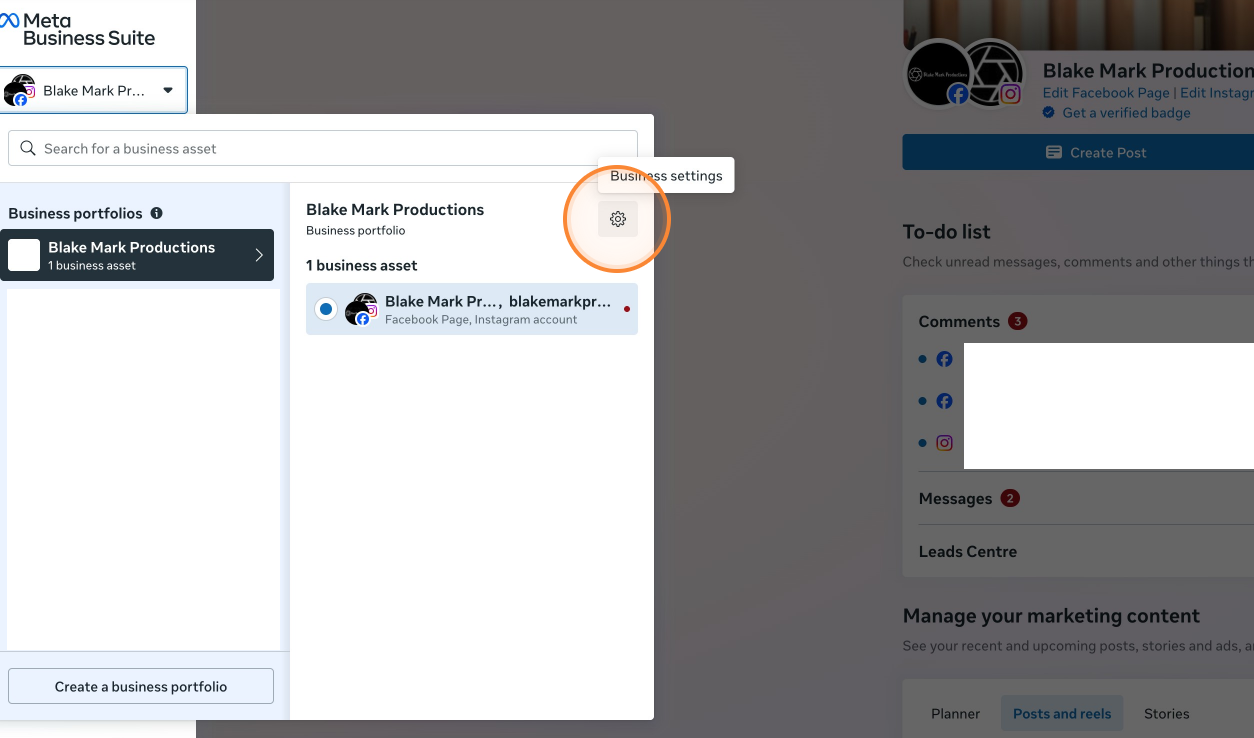
- Navigate to your business's Meta Business Suite. This is usually found on the left hand side of your Facebook feed when you log on.
-
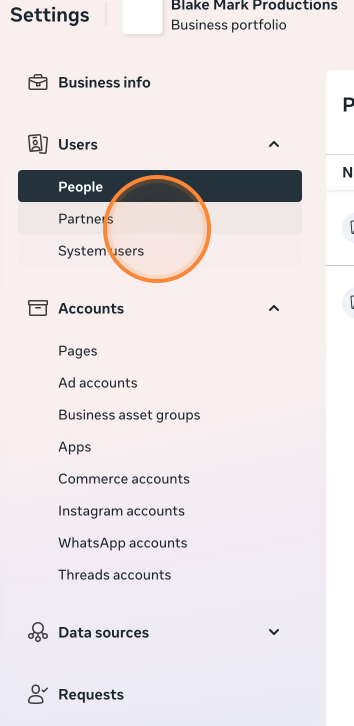
At the top of the left hand side of the Business Suite settings are list of users. Click on the ‘Partners’ list.
-
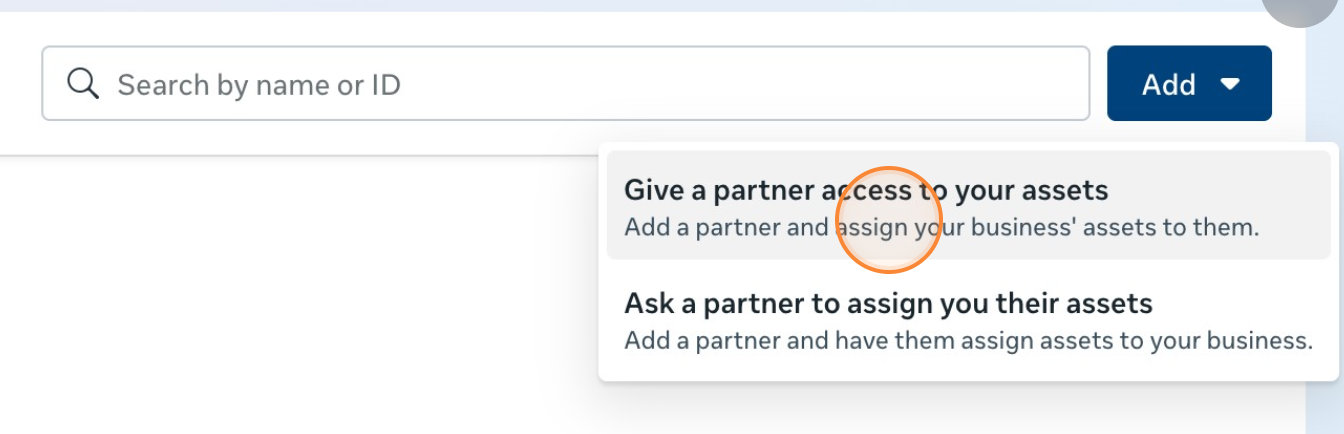
Click on the blue ‘Add’ button and it will give you the option to request access to someone’s Meta Business Suite or give access to a partner. Click on ‘give access’.
-
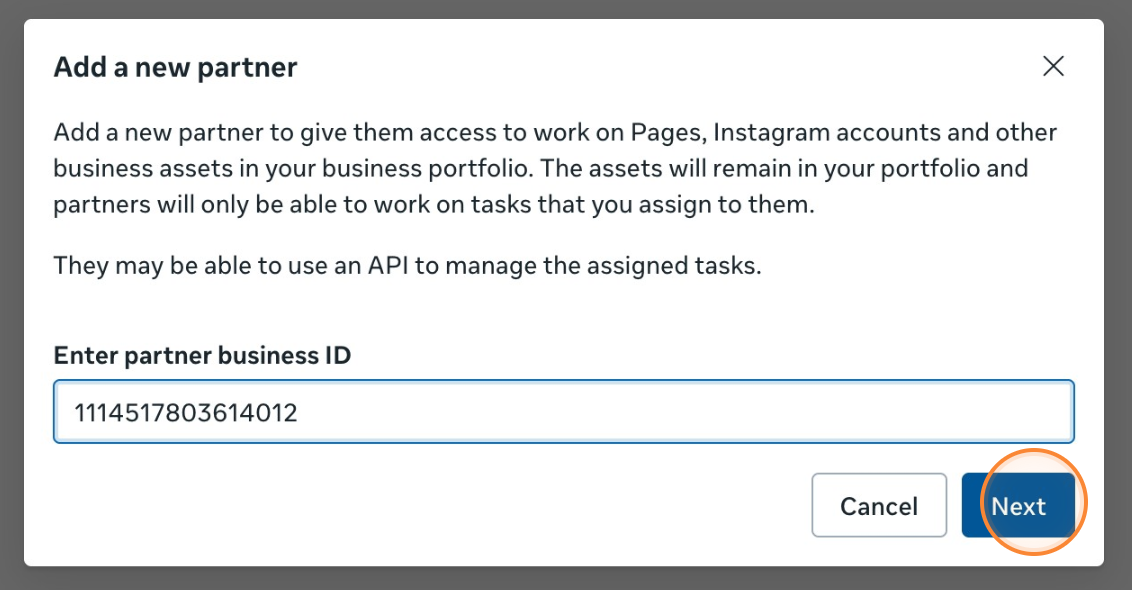
In the pop-up box requesting the Business ID of the partner, input your selected customers Business Manager ID (For Blake Mark Productions our business ID is 1114517803614012). You can find your Business Manager ID in the ‘Business info’ at the bottom of the Business Suite settings screen.
-
Once you have entered your partner’s Business ID you can choose what level of permissions and pages that partner has access to. This is something that should be discussed between both partners prior to partner involvement.
English - United Kingdom