
To add a card to your account, or update your card details you will need to visit your Client Area.
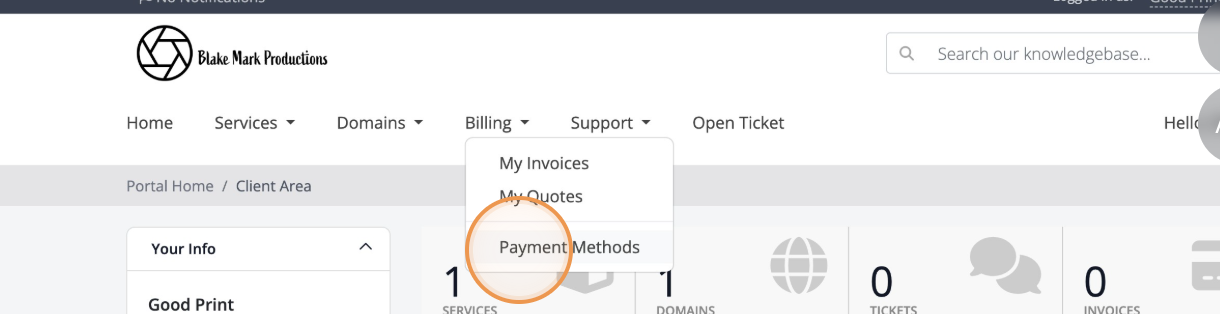
- From the Billing menu, click on Manage Payment Card.
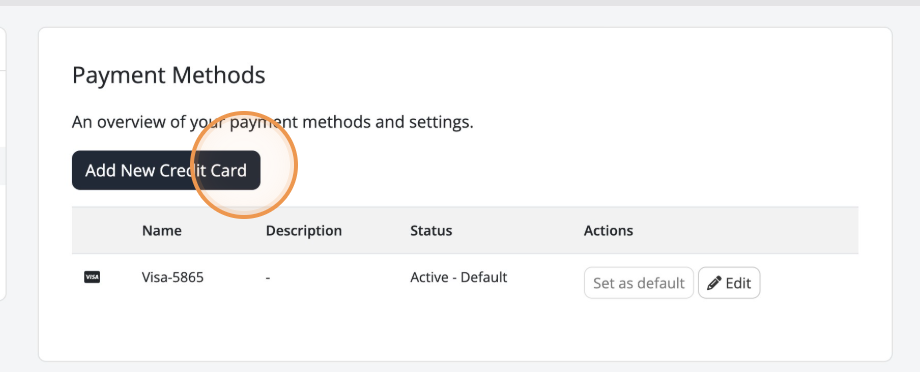
To add a new card, click Add New Credit Card
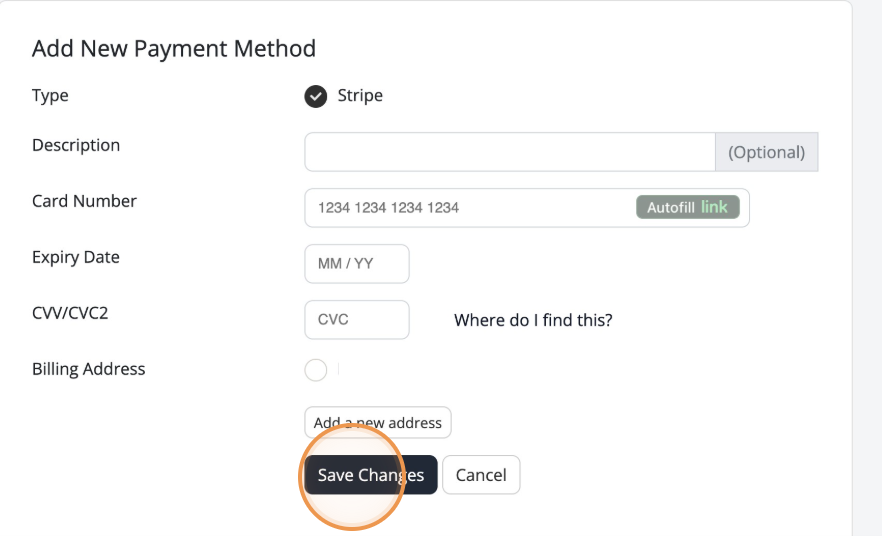
Enter your card details, and click Save Changes.
If your card expires, it will automatically be removed from your account.